
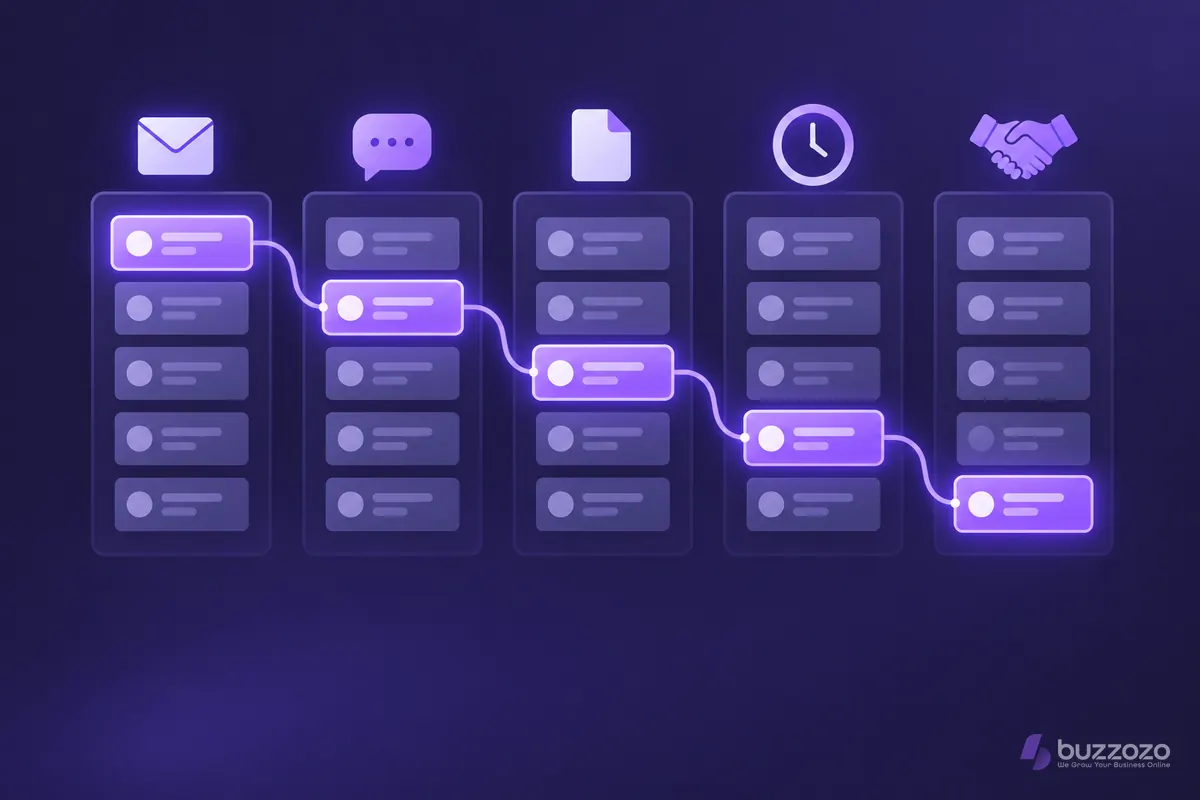
What does a sales pipeline tell you?
A sales pipeline shows where each potential deal stands, who owns it and what needs to happen next. You can see which enquiries need a reply, which quotes are awaiting a decision and which opportunities have gone quiet.
A contact list tells you who someone is. Your pipeline tells you what you are doing together. Keep a separate record for each piece of work: a returning customer can have a completed job and a new enquiry at the same time. Otherwise you lose the history or accidentally chase work you have already won.
A pipeline is also different from a sales funnel. A funnel groups people as they move towards buying. Your pipeline is the working view of individual opportunities. It should help you decide whom to contact today, rather than simply produce a chart for a meeting.
Which sales pipeline stages should you use?
Use stages that reflect your buying process, with a clear rule for moving a deal forward. For a small service business, we suggest starting with new enquiry, needs confirmed, quote sent, decision pending and won or lost. Adapt those labels to how your customers actually buy.
- New enquiry: you have a request and a way to reply. Assign someone to respond.
- Needs confirmed: you understand the job, whether you can do it and the customer's timing. Record the next agreed step.
- Quote sent: you have sent a specific scope and price. Record when you sent it and when you agreed to follow up.
- Decision pending: the customer is considering a defined proposal. Note the outstanding question or decision date.
- Won or lost: record the outcome and reason. A won job moves into delivery; a lost job leaves the active pipeline.
These are suggested labels, not a universal standard. If a site visit changes what you can quote, give it a stage. If it is just a task within a stage, record it as an action instead. A stage called “interested” is too vague unless everyone knows what evidence counts.
What should you record against each deal?
Record enough to act: the customer, the work they want, the stage, the person responsible and a dated next step. Add the quoted value and expected decision date when you have them. Leave unknown values unknown rather than inventing a forecast.
- Use a next step such as “call to confirm the survey date”, rather than “follow up”.
- Record what the customer agreed, separately from your own view of the chance of winning.
- Keep the last conversation and quote easy to find.
- Choose an owner who can actually take the next action.
- Record why work was lost, so you can review patterns later.
Keep customer notes relevant. The Information Commissioner's Office (ICO) explains that personal data should be adequate, relevant and limited to what is necessary in its data minimisation guidance. Avoid unrelated personal comments. This is a practical record-keeping guide, not legal advice.
Rather have it done for you? We build your website free, it goes live in days, and you pay nothing for the first 14 days. No card needed. See how the free 14-day trial works.
What does a simple pipeline look like in practice?
Imagine a small UK decorating business receiving a request to repaint an office. Its pipeline follows that opportunity from the first enquiry to the customer's decision. The example below is illustrative; it is not a Buzzozo client case or a claimed result.
- The owner records the request as a new enquiry and assigns the reply to the person handling quotes.
- After a call, the owner confirms the rooms, access and preferred timing. The deal moves to needs confirmed.
- A survey becomes the next action. The deal stays in that stage until the owner has enough information to quote.
- The written quote goes out. The owner records the customer's agreed follow-up date.
- The customer asks about working outside office hours. The next action is to clarify the schedule, not send another generic reminder.
- Once the customer accepts the agreed scope and terms, the deal is marked won and handed to delivery.
If the customer declines, record the reason without guessing. “Customer postponed the work” is useful when that is what they told you. “Too expensive” is misleading when you never asked. If they stop replying, keep that uncertainty visible instead of quietly treating the quote as likely income.
Want this organised around your own enquiries? Our customer relationship management (CRM) for small business, built and set up for you is the next step. A CRM system holds the customer record alongside the work, so the next person can pick up the conversation.
Why does a useful pipeline take skill and time?
The difficult part is agreeing what each stage means, cleaning up existing records and keeping the process useful when work gets busy. Drawing columns is quick. Deciding when an enquiry qualifies, who follows up and what happens after a sale takes judgement.
Start by walking through recent enquiries with the people who handled them. Check where the real decisions happened. Separate duplicated contacts from separate jobs. Then test the proposed stages against a returning customer, an unanswered quote and an enquiry you cannot fulfil.
Allow time to check imported records, access controls, reminders and the handover into delivery. A reminder sent after someone has declined is worse than no automation. So is a pipeline that shows a job as won while the person doing the work has no record of it.
BuzzozoHub's artificial intelligence (AI) assistant drafts replies for you to check and send. Explore our AI services for your business if you want to discuss the wider process. For a pipeline, decide where a person must approve a message or decision before adding automation. Do not let a generated summary become the only record of what a customer agreed.
How do you keep your pipeline accurate?
Review active deals regularly, update them after meaningful conversations and close out work that has ended. Check that every open opportunity has an owner and a useful next action. A pipeline works only while the records reflect what is actually happening.
During your review, ask which quotes have no agreed follow-up, which decision dates have passed and which deals are waiting on you. Look at time in each stage as a prompt to investigate. A long wait can mean a deliberate customer pause, not a failure by your team.
Count completed sales separately from open quotes. Do not treat the total value of your pipeline as money you will receive. A forecast needs a consistent method and your own evidence about how opportunities convert. With little history, explain the uncertainty instead of attaching confident percentages.
How can Buzzozo do this for you?
BuzzozoHub brings leads, bookings and invoices into one place, set up around your business. We build and configure the system with you, so you do not have to turn a blank system into a working process on your own.
Use the BuzzozoHub CRM service to discuss your stages and handovers. Check the current plans and what each includes before choosing. Our premium Website plan starts from £149 a month at the founding price for the first 100 businesses, kept for life. After the first 100, it starts from £299 a month. BuzzozoHub is included in the separate Website + CRM plan, from £599 a month, with everything in Website. Prices exclude VAT where applicable. Both plans start with a free 14-day trial, no card needed. No contract, cancel any time.
Start your free 14-day trial: no card needed, no contract, cancel any time. You can see the work before you commit. Bring the enquiries you are struggling to track and we can discuss what your business needs.
Common questions
Is a sales pipeline the same as a CRM?
No. A pipeline is the sequence of stages your opportunities pass through. A customer relationship management system holds customer records and can show those opportunities in a pipeline. The process needs clear rules, whichever system you use.
How many stages should a small business use?
Use enough stages to reflect meaningful steps in how your customers buy. Start with the suggested stages in this guide and adjust them. Add a stage only when it changes what you need to know or do.
Can I manage a sales pipeline in a spreadsheet?
Yes. A spreadsheet can record stages, owners and next actions. As more people handle enquiries, check whether everyone can find the latest conversation and whether reminders are dependable. Those needs help you decide when a CRM is worth setting up.
Does a full sales pipeline guarantee revenue?
No. Open opportunities can be delayed or lost. Keep confirmed sales separate from quotes and use your own history to inform forecasts. A pipeline helps you organise the work; it does not make a customer buy.