
What does a website wireframe show?
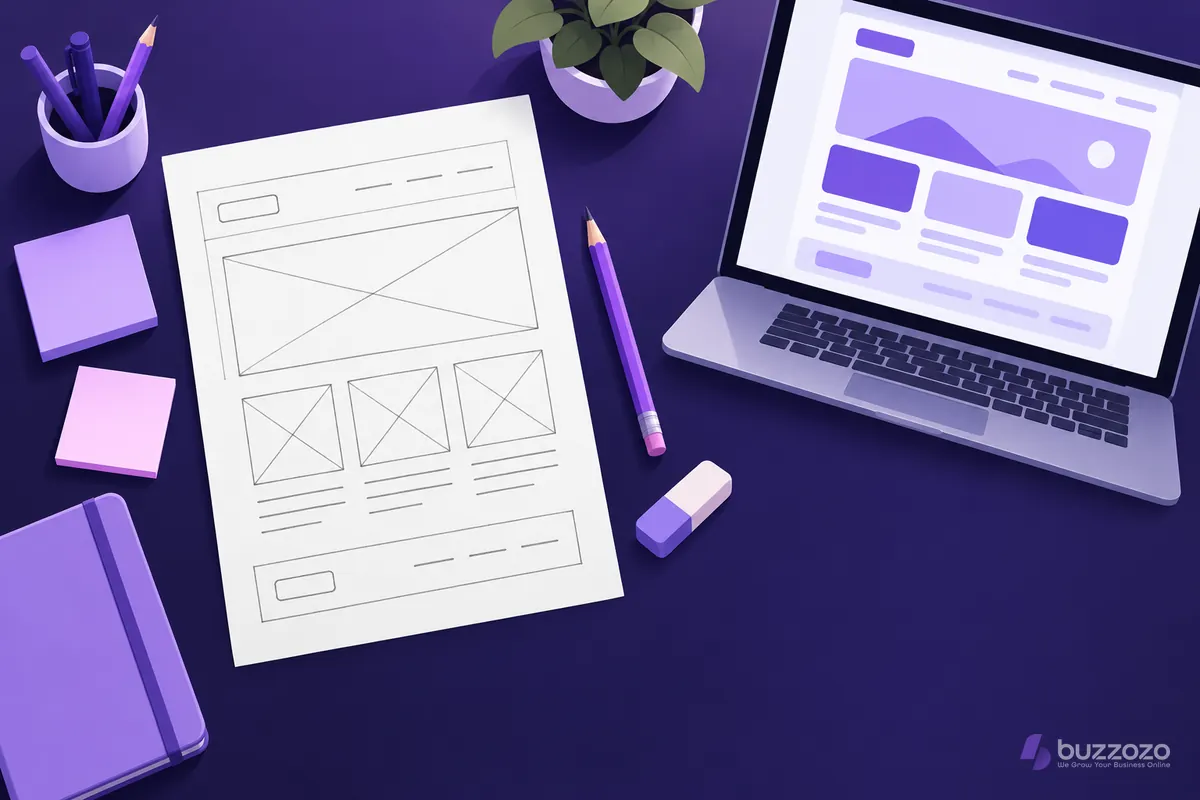
A wireframe shows structure, not style. Each part of the page is drawn as a plain box with a short label, in grey or black. You can see what sits at the top, what comes next and where a visitor is asked to act. Colours, photos and polished words come later.
A typical wireframe for a small business page marks out these parts:
- The header, with your logo, the menu and often a phone number.
- The main heading and a short line that says what you do and where.
- The main button, the one action you most want a visitor to take.
- Proof, such as reviews, photos of your work or the areas you cover.
- Your services, each with a short description and a link.
- A contact form or booking box, and the footer with the details people look for last.
What a wireframe leaves out matters just as much. Nobody argues about a shade of blue on a wireframe, so the talk stays on what the page must do for your customers.
Why do designers start with a wireframe?
Moving a box on a sketch takes seconds. Moving the same section on a finished, written and coded page takes far longer. The UK government's Service Manual guide to making prototypes says they range from a quick pen and paper sketch to a working code version. It adds that sketches suit exploring basic ideas.
Starting with a wireframe helps you in several ways:
- You agree the order of the page before anyone writes or designs it.
- Gaps show up early, such as a phone number that is missing on a small screen.
- The writer, the designer and you all work from the same plan.
- Each change costs a pencil line, not a rebuild.
It also forces a useful question. If a box has no clear job, it probably does not belong on the page.
What is the difference between a wireframe, a mockup and a prototype?
A wireframe is the plan, a mockup is the look and a prototype is something you can click. Each one answers a different question, so most projects move through them in that order. Skipping the first step means the later ones carry layout mistakes that are harder to see under the colour and photos.
- Wireframe: plain boxes and labels that settle what goes where and why.
- Mockup: a still picture of the page with your colours, fonts, photos and real words.
- Prototype: a clickable version, so people can try the menu, the buttons and the forms on a real phone.
On a small site, the wireframe and mockup stages can be quick. They still matter, because a layout that is wrong on paper stays wrong once it is built.
Rather have it done for you? We build your website free, it goes live in days, and you pay nothing for the first 14 days. No card needed. See how the free 14-day trial works.
How do you sketch a wireframe for your own page?
Start on paper with a pencil. Write down the one job the page must do, then draw a box for each thing a visitor needs to see before they act. Put them in the order your customers ask their questions, and draw the phone version first, as one narrow column.
The Government Digital Service (GDS) works this way too. In a post on sketching templates, its design director wrote that it is often best to start with a sketch or a scribble. That gives you something to show and discuss.
A simple method you can follow:
- Write the page's job in one line, such as "get booking requests from local dog owners".
- List the questions a customer asks before they book, in the order they ask them.
- Draw one box per answer, top to bottom, on a narrow phone-shaped sheet.
- Mark the main button near the top, and again after the details that build trust.
- Ask someone who does not know your business to find the price and the contact form on your sketch.
- Redraw what confused them, then widen the sketch for a laptop screen.
A worked page sketch
Here is an illustrative sketch, not a real firm. A mobile dog groomer in Leeds wants more bookings from the home page. Reading from the top of a phone screen, the wireframe has these boxes:
- Header box: logo on the left, a phone icon and a Book button on the right.
- Heading box: "Mobile dog grooming in Leeds, at your door", with one line on what each groom includes.
- Main button box: "Check a free date", with a smaller "See prices" link under it.
- Proof box: three short review cards and a line naming the areas covered.
- Services box: full groom, bath and tidy, and puppy first groom, each with a "from" price.
- How it works box: book a date, the van arrives, your dog is groomed outside your home.
- Booking box: name, phone, dog's breed and preferred day, with the Book button repeated.
- Footer box: opening hours, phone, email and links to the privacy page.
Notice what the sketch has decided. The price is never more than one tap away. The Book button appears three times, so a visitor never has to scroll back to find it. None of that needed a colour or a photo.
Why does a good wireframe take real skill and time?
The boxes are easy. The decisions behind them are not. A good wireframe rests on knowing what your customers ask before they buy, what makes them trust a stranger and where they give up. Getting that right takes research, testing with real people and several redraws, not one quick sketch.
Here is what a skilled designer weighs on every page:
- Which single action matters most, and what can wait for a second page.
- How the page reads on a small phone screen held in one hand.
- Which questions each page answers, so search engines and AI assistants can match it to real searches.
- Headings in a sensible order, buttons big enough to tap and forms anyone can fill in, including people using a screen reader.
- How each page links to the next, so a visitor always has a clear route to contact you.
A rushed wireframe bakes the wrong order into every page built from it. Our guide to how long a website takes shows where planning time fits in a real project.
Should you wireframe your website yourself or have it done for you?
Sketch it yourself if you enjoy the puzzle and have the time to test it. The steps above will get you a sound first draft. If you would rather spend that time running your business, hand the planning to a team that wireframes, writes and builds websites every week.
If you would rather not draw it yourself, our web design service plans, wireframes, writes and builds your site for you. You see the layout and the finished pages before you pay anything.
If you want the site looked after once it is live, a managed website, built and cared for by us, keeps it fast, secure and up to date. Buzzozo builds websites for UK small businesses and shows them how to use AI to answer common questions and handle new enquiries day and night.
The Website plan is from £149 a month, with the build, hosting and care included. Compare the plans and prices, or start your free 14-day trial. No card needed.
A wireframe is one part of user experience (UX) design. While you sketch each page, mark where its call to action sits, so the next step is clear before any design starts.
Common questions
Is a wireframe the same as a website design?
No. A wireframe is the plan for the layout, drawn in plain boxes and labels. The design adds your colours, fonts, photos and final words on top of that plan. Settling the wireframe first means the design stage can focus on how the page looks, not on moving sections around.
Do I need a wireframe for a small website?
Yes, even a quick one helps. A small site still needs a clear order on each page and an obvious next step for visitors. A rough pencil sketch of your home page and contact page takes little time and catches missing pieces before anyone writes or builds them.
What should a home page wireframe include?
Most small business home pages need a header with your logo and contact details, and a main heading that says what you do and where. Add one main button, proof such as reviews, your services, a contact or booking box and a footer. Put them in the order your customers ask their questions.